PROBLEMS TO SOLVE
Fragmented Entry & Context Switching
The home experience and navigation model relied heavily on context switching between classrooms and schools. Users had to change views to see relevant announcements, people, and actions - increasing cognitive load and slowing common workflows immediately after login.
People & Places were Scattered
Directories existed across multiple areas. Classroom pages, school pages, and separate family/staff views - each with different rules and visibility. There was no single, reliable place to find who you needed, making discovery and communication inefficient at scale.
Classroom Workflows Didn’t Scale Cleanly
Classroom pages supported local needs but lacked strong connections to broader directory and identity systems. As usage expanded across schools and districts, roster access and people management required too many steps and inconsistent navigation paths.
Click a card to dive deeper into the design solution, workflow diagrams, and user research for each problem.
Fragmented Entry & Context Switching
THE CHALLENGE
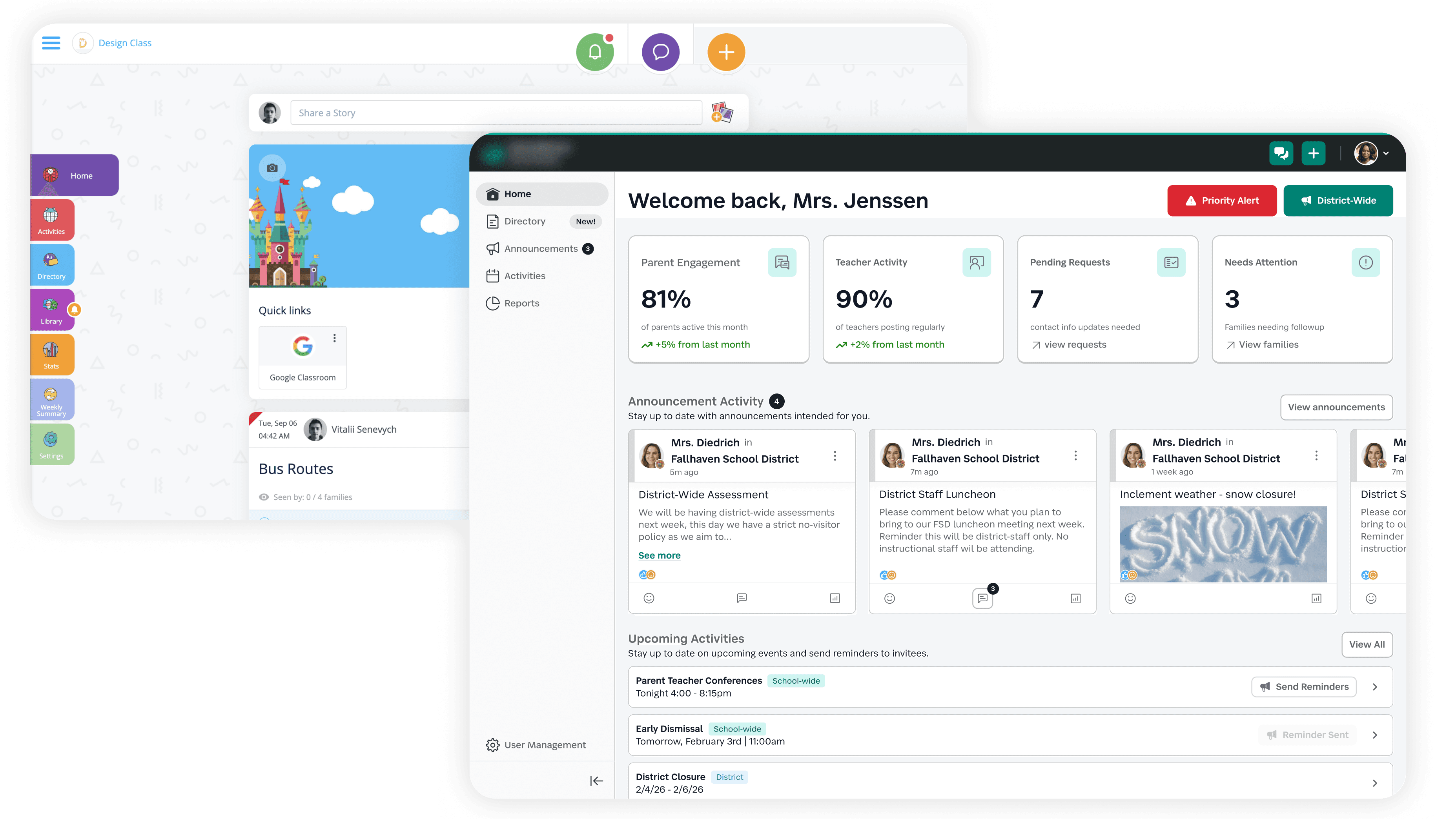
The product’s navigation was built around a places-first context switcher (classrooms and schools), which worked well for elementary teachers and parents but broke down for most other roles. Multi-role and enterprise users had to constantly switch contexts to see messages and announcements, creating friction and fragmented awareness.
This structure also conflicted with how guardians and older-grade users think - they look for people and students first, not places.
SOLUTION
Unified home feed
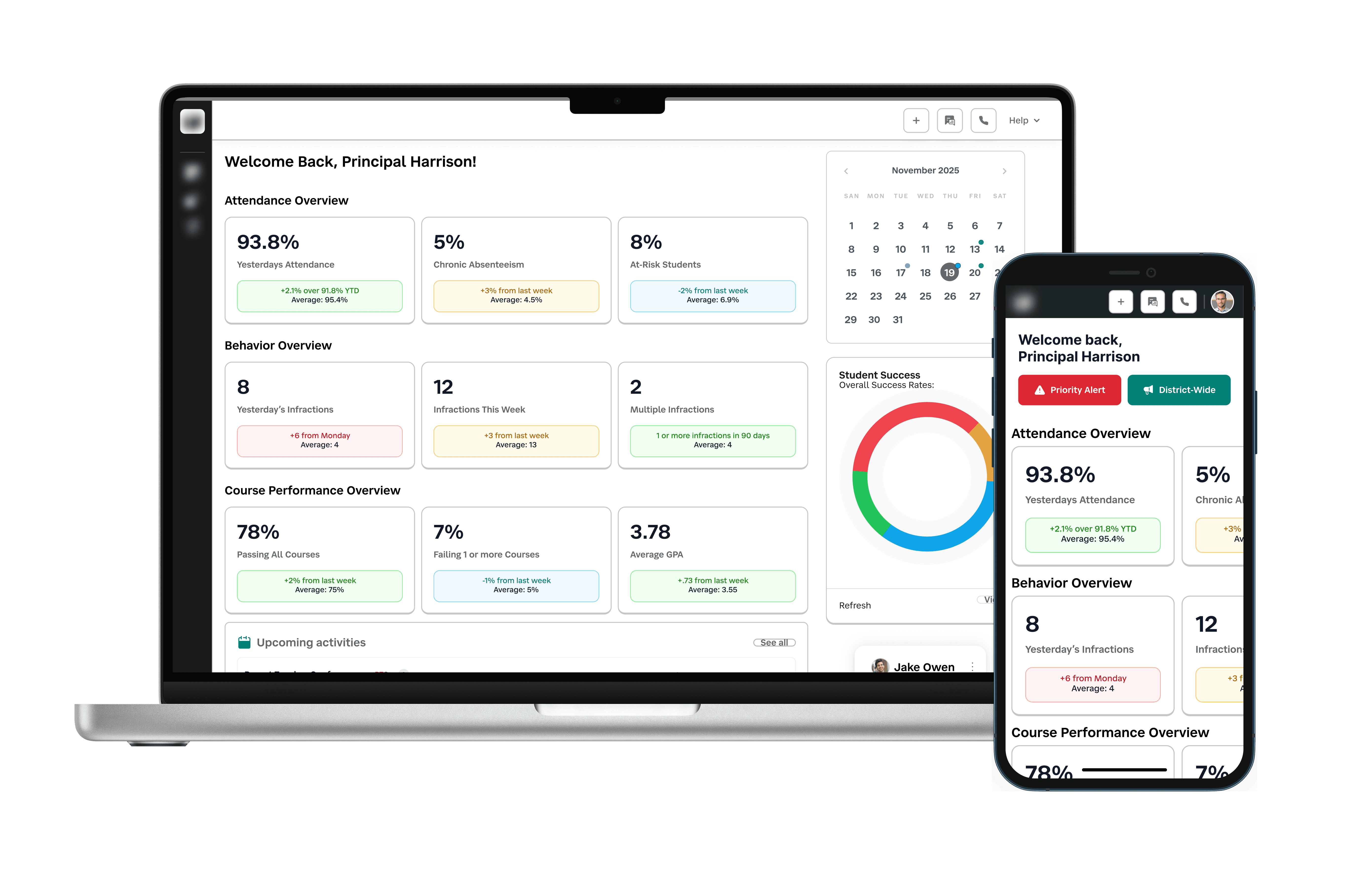
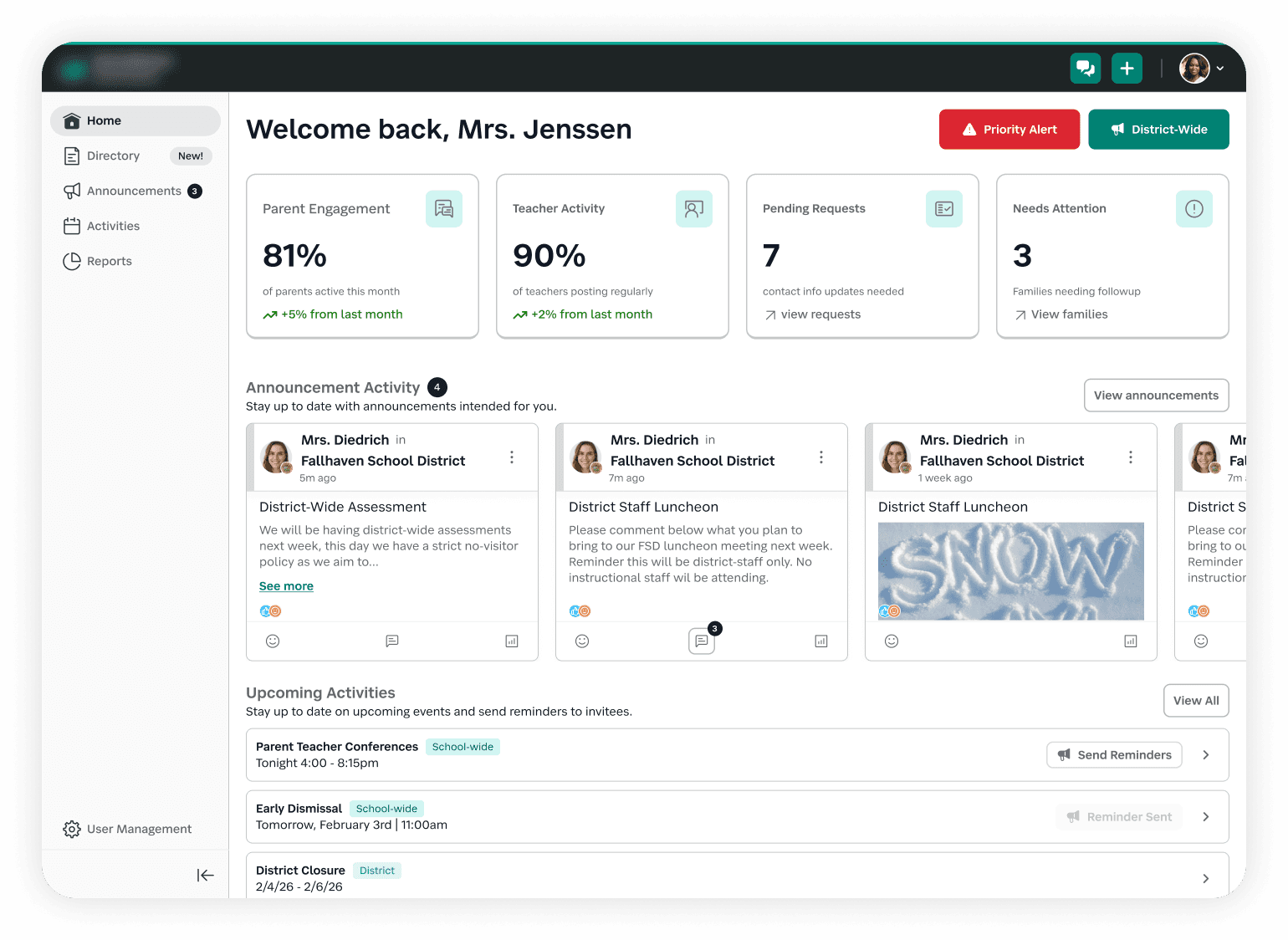
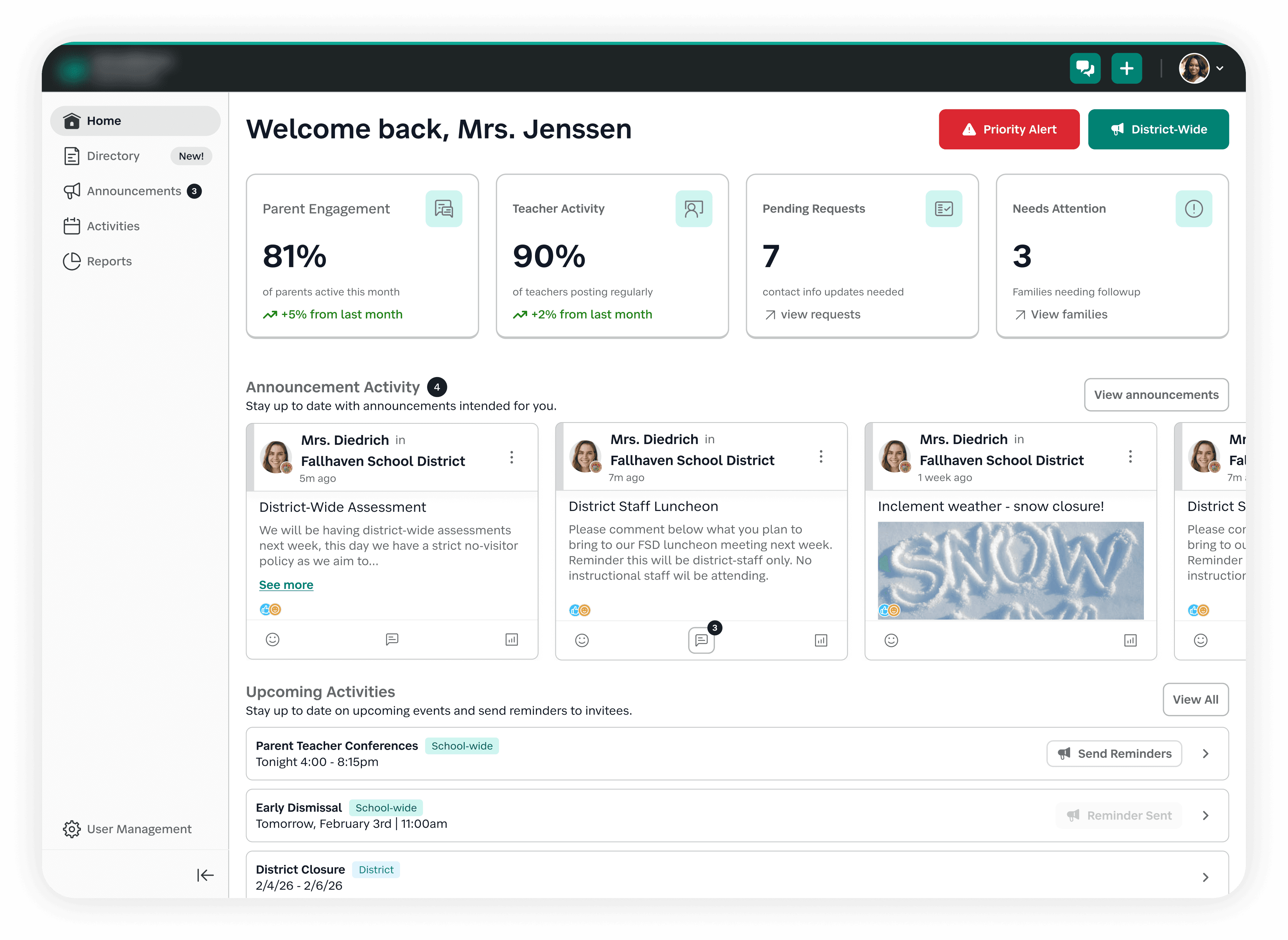
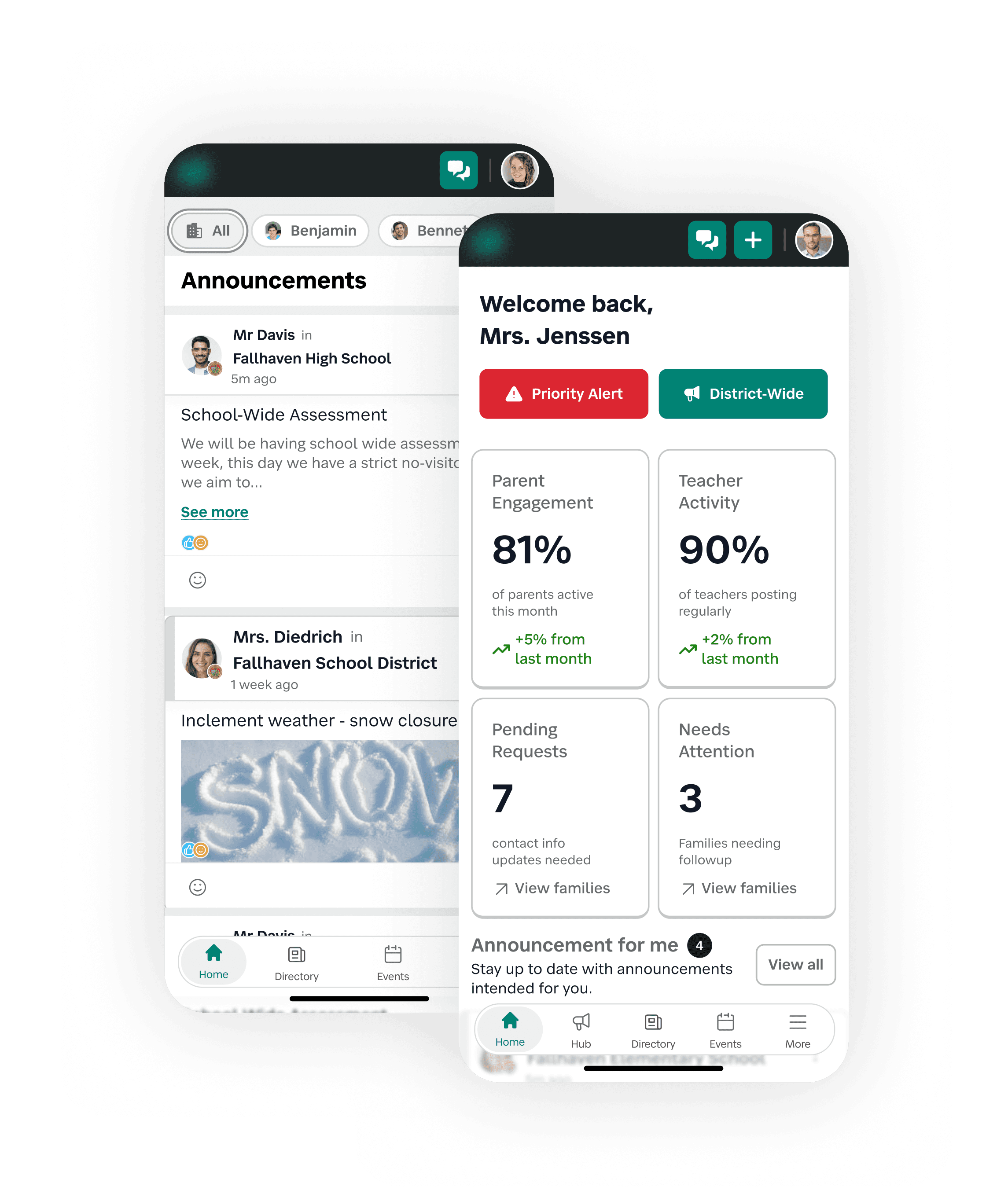
Replaced the context-switched announcement views with a single unified home feed so users could see what mattered immediately after login — without changing places.
Removed global switcher
Eliminated the places-first global switcher from the primary navigation and moved it to secondary surfaces during transition, reducing cognitive load while broader unification work progressed.
Made homepage more impactful
Aligned content and layout to core user personas, transforming it from a passive dashboard into an action-oriented entry experience.
Guardian child tabs
Added child-level tabs for guardians so announcements could be filtered by student. This aligned the experience with parent mental models and was strongly validated in feedback.
People & Places were Scattered
THE CHALLENGE
People and place directories evolved separately as the product grew, resulting in classroom lists, school lists, and context-bound family and staff tabs that each followed different rules. Users had to know where to look before they could find who they needed.
This fragmentation slowed discovery, increased navigation depth, and created inconsistent visibility across roles — a model that did not scale well for district-level use.
WHAT WE SET OUT TO LEARN
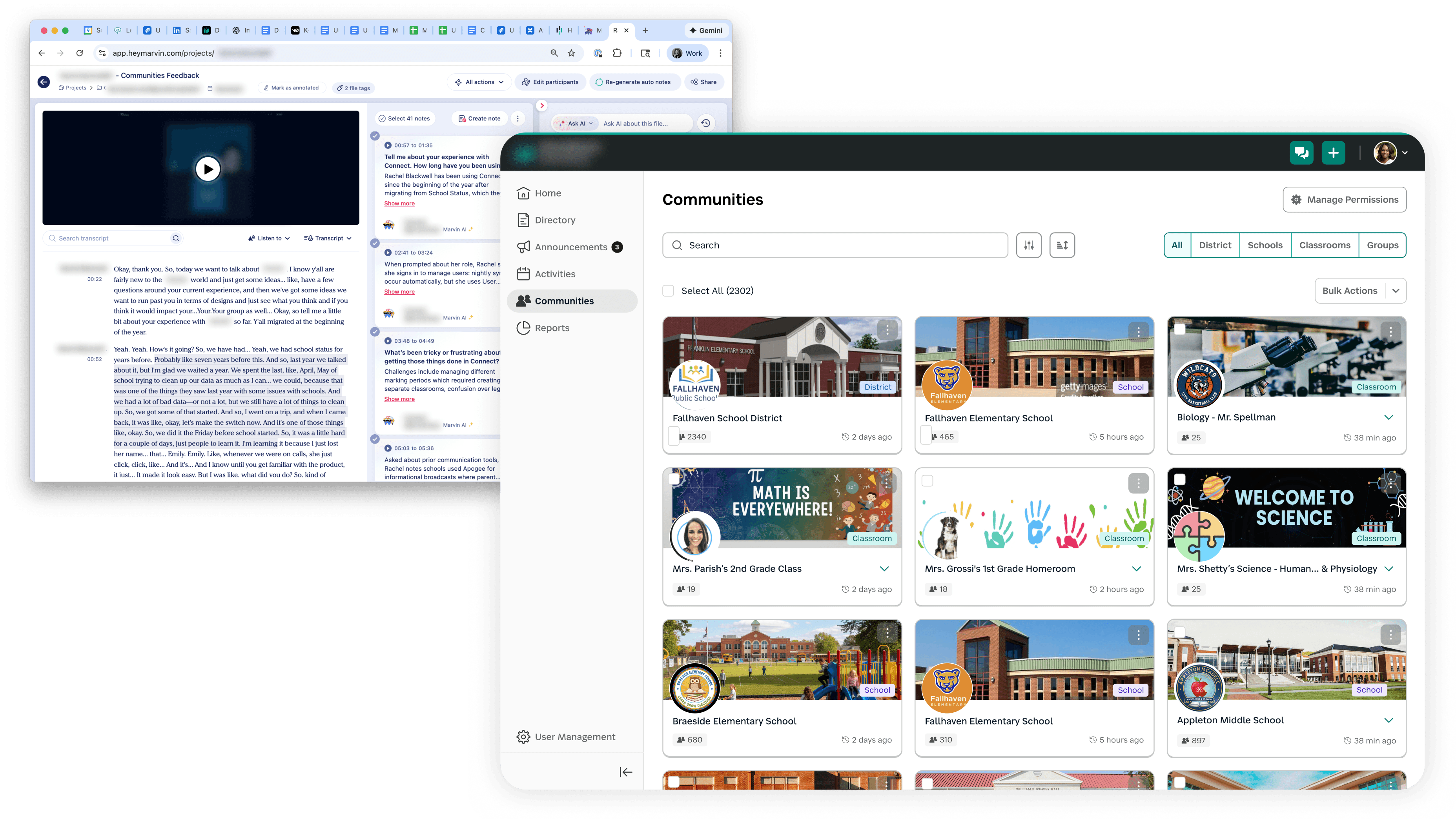
We explored a “communities” concept through interactive prototypes to understand how users naturally group people and places, and whether a unified model would improve discoverability and navigation clarity. Feedback from these walkthroughs directly informed how the expanded directory structure evolved.
SOLUTION
Introduced Classrooms & Schools Views
Created standalone classrooms and schools pages so users could browse organizational structures directly instead of relying on indirect navigation paths.
Consolidated Context-Bound Tabs
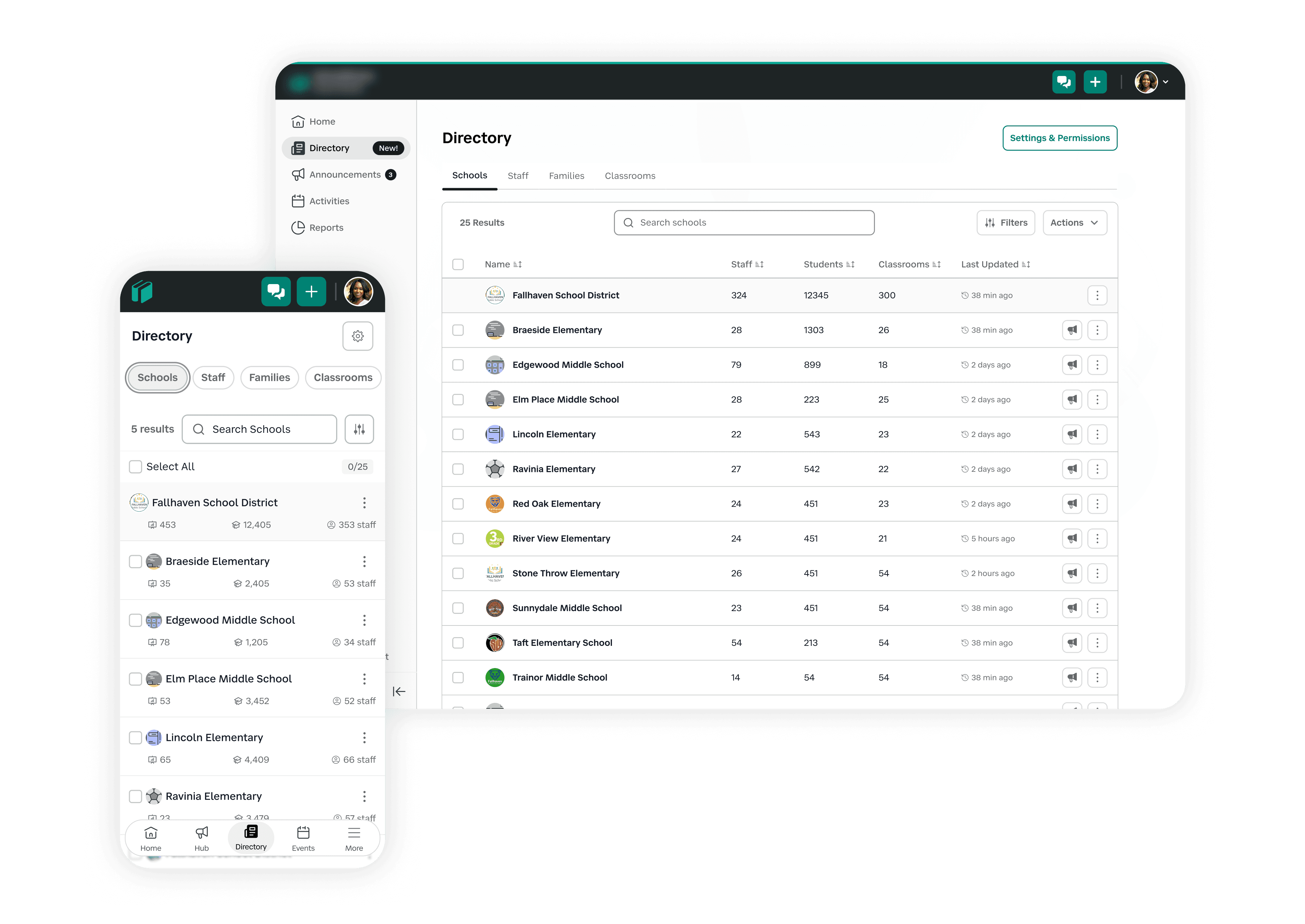
Reworked the family and staff directory model, which had been tied to classroom context, to support broader visibility and cross-role discovery.
Launched the Expanded Directory
Unified people and place surfaces into a single expanded directory tab, giving users one reliable location to find anyone or anywhere they had access to - improving discoverability and enterprise scalability.
Classroom Workflows Didn’t Scale Cleanly
THE CHALLENGE
Classroom pages were originally designed as lightweight, local spaces with a feed with quick links. As adoption expanded, these pages became operational hubs, but they lacked structured roster access, consistent navigation, and integration with broader identity and directory systems.
Common tasks like viewing members, managing resources, and supporting non-classroom groups required workarounds, limiting scalability across schools and districts.
SOLUTION
Structured classroom architecture
Redesigned classroom pages with a scalable tab model - including key areas of information, so core workflows were predictable, navigable, and easier to extend over time.
Accessible & theme-capable foundations
Rebuilt classroom pages to be fully WCAG-compliant and theme-capable, aligning them with the broader design system and enabling consistent, accessible experiences across organizations.
Follow & invite capabilities
Introduced follow and invite features that allowed groups like sports teams and activities to use classroom pages without administrative overhead, expanding use cases beyond traditional classroom structures.

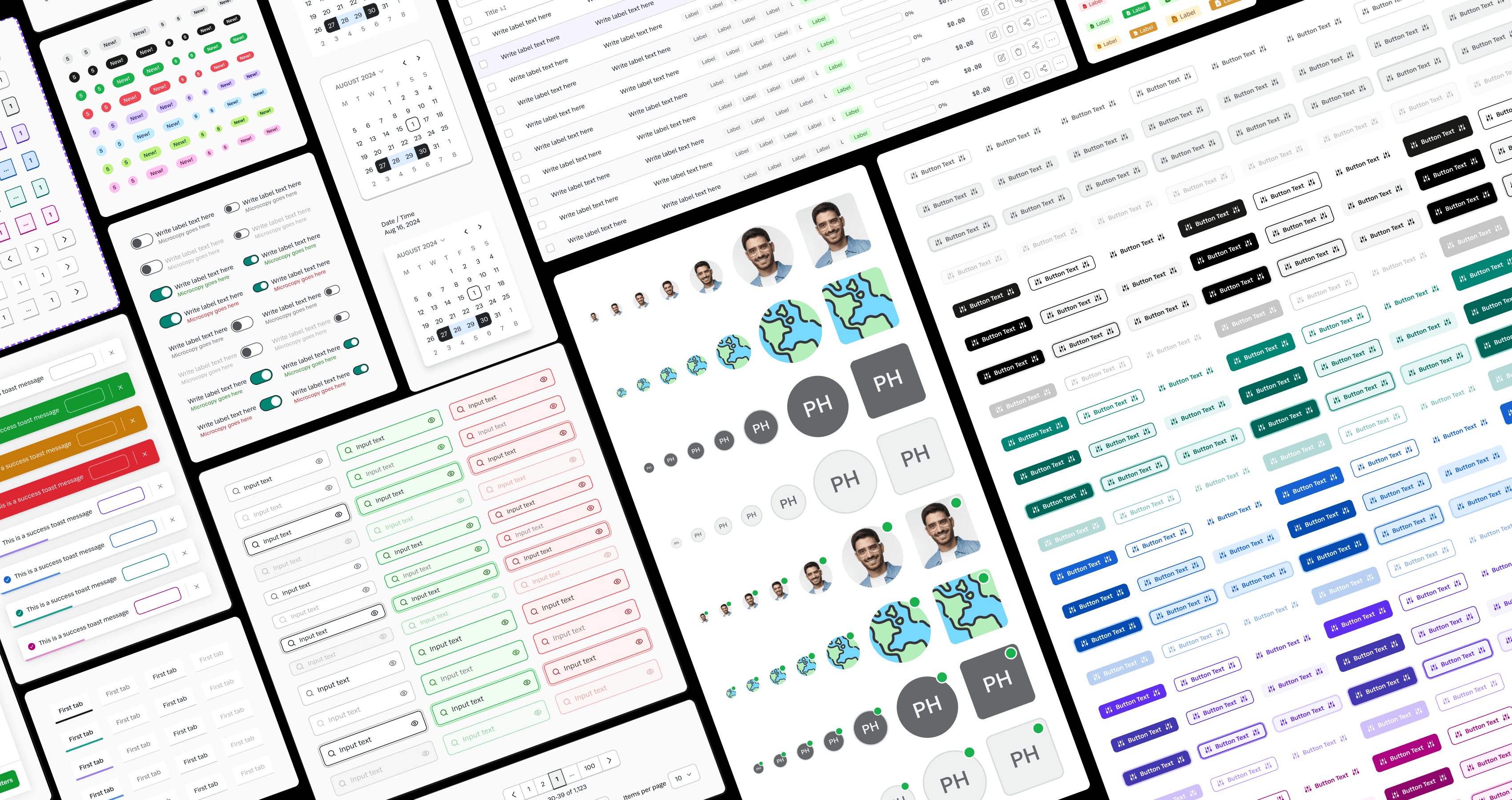
Our emerging design system expanded with many components during these feature updates.
LEARNINGS & IMPACT
Unifying the platform from a classroom-first structure to a people-first, enterprise-ready model required more than navigation changes - it demanded alignment with real user mental models, role complexity, and scale pressures. Through prototype testing, iterative IA exploration, and cross-surface unification, we reduced context friction and improved discoverability across the product. This work established a stronger foundation for migration and future feature growth, while also allowing me to mentor a junior designer through complex system-level design decisions and delivery.
Reduced context friction
Shifted core workflows from places-first to people-first, minimizing context switching and improving clarity across roles at login and throughout navigation.
Design Leadership in Practice
Led direction and mentored a junior designer through exploration and execution, maintaining system coherence across multiple workstreams.